Sirvely
EN

Digital menu and table ordering

Scanthe QR on the tableOrderfrom the phone, nothing to downloadGet paidyourselves, with your own terminal

The money goes from your guest to your till. Sirvely never touches it.

Commission to Sirvely0%

Sample menu. Yours carries your products, your prices and your logo.

Nothing of yours changes: not the card terminal, not the bank, not the till, and not the way your team works. Sirvely adds to it, it does not replace it.

The service, step by step

From the table to the bill, without paper

This is what happens at one table on a Friday night. Without changing your till, your bank or your card terminal.

21:14

The guest scans

Every table has its own sign with its own QR. We print and laminate them. The guest points the camera and is inside your menu.

Sample

Oak & Olive

TABLE 7

Scan and order from your phone

Nothing to download

sirvely.com

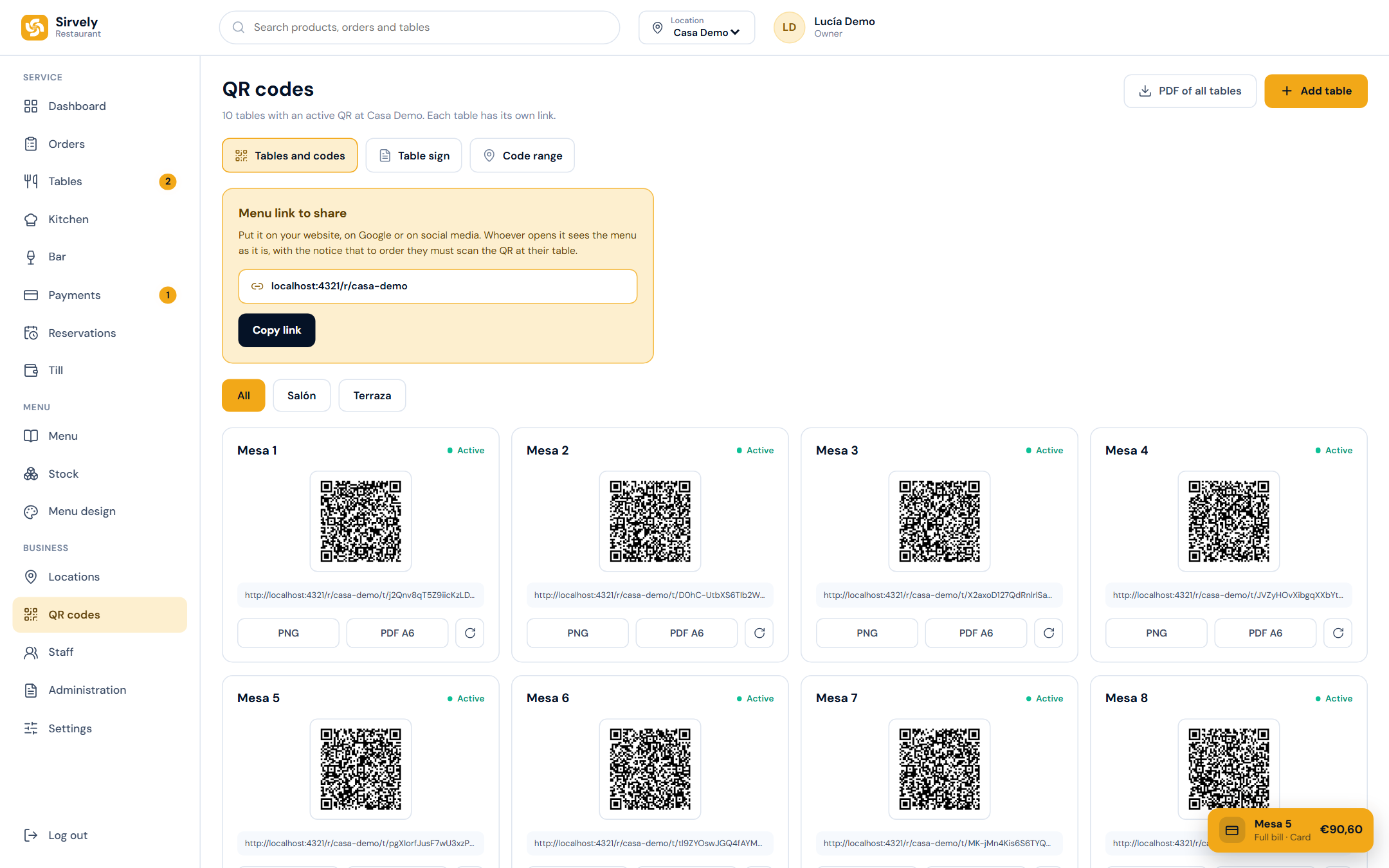
The QR codes of every table, in the panel.

The QR codes of every table, in the panel.

21:16

They order from the table

They choose, add a note for the kitchen and send. They can order another round without scanning again. They pay at the end, when they ask for the bill.

Your order

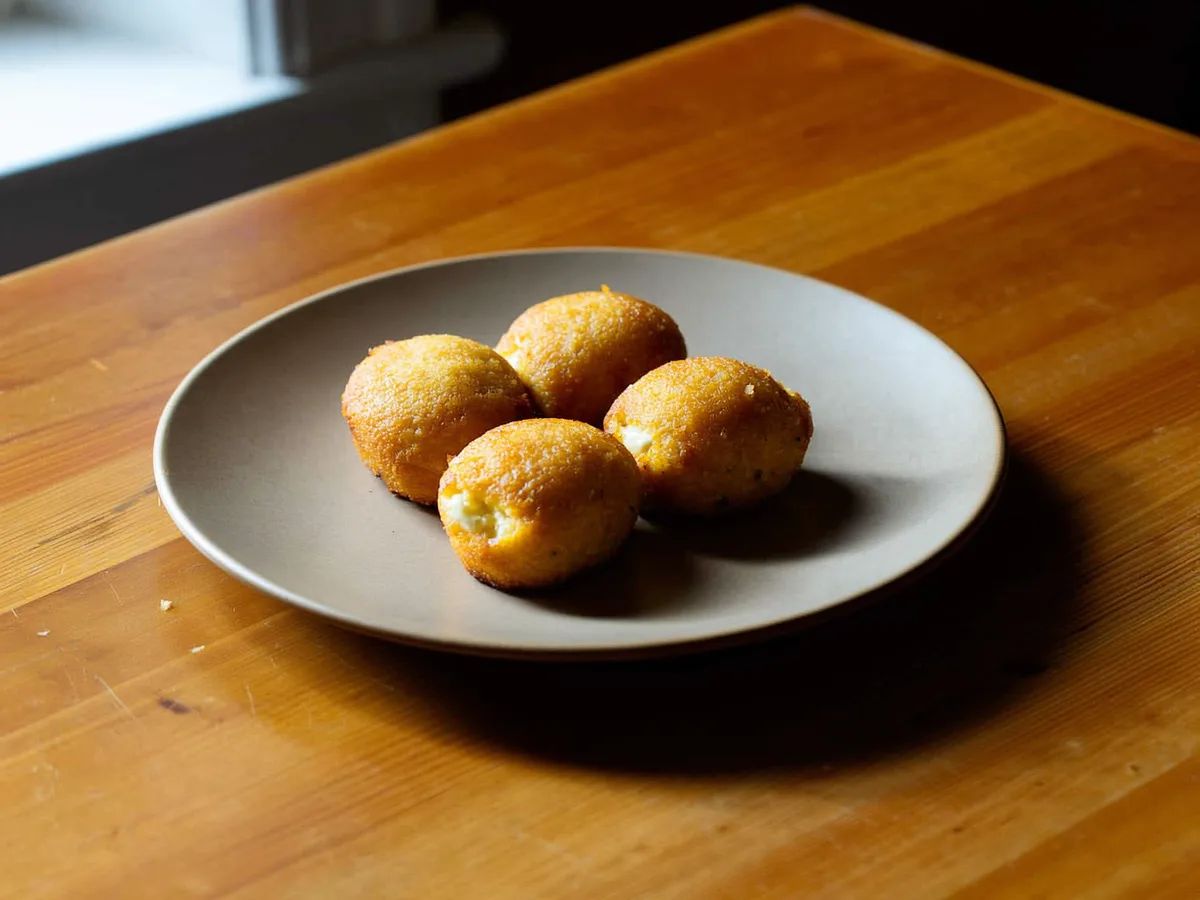
  • 2Ham croquettes€17,00
  • 1Bread with tomatoNo garlic€3,80
  • 2Draught beer€5,60

Total€26,40

Send order to the kitchen

You pay at the end, when you ask for the bill.

Orders arrive in the panel with the table and the time.

Orders arrive in the panel with the table and the time.

21:16

The kitchen sees it instantly

The ticket lands on the kitchen screen with the table, the quantities and the notes. Nobody runs to the bar with a slip and nobody deciphers handwriting.

#118New1 min ago

Table 7 · Dining room · 4 people

  • 2Ham croquettes€17,00
  • 1Bread with tomatoNo garlic€3,80
  • 2Draught beer€5,60
Note from the tableTwo of us are coeliac. Please mind the bread.
Accept
The kitchen screen, with tickets in progress and tickets ready.

The kitchen screen, with tickets in progress and tickets ready.

22:03

You take the payment

The guest asks for the bill and says whether they pay by card or in cash. You see the table change colour, walk over with the terminal and charge. The money goes straight to your bank, as always.

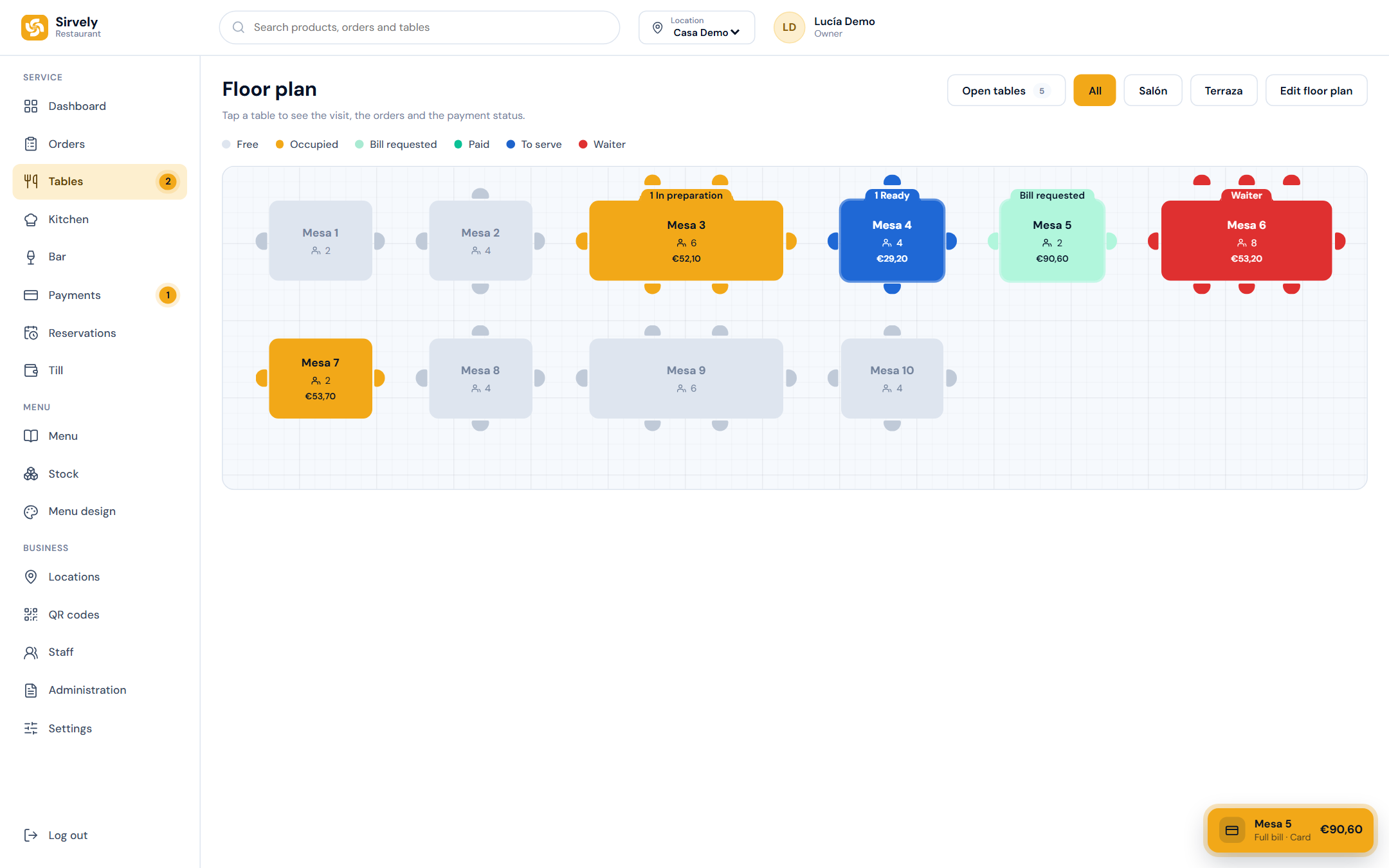
The floor plan, every table in the colour of its status.

The floor plan, every table in the colour of its status.

See it in your own restaurant

Send us photos of your menu and we set it up this week. Free demo, no commitment.

Your panel

The whole restaurant on one screen

Orders, tables, kitchen, menu, reservations and QR codes, in a panel your team learns in an afternoon. This is the real panel, recorded as it is.

The panel

One screen for the whole service

Sales of the day, occupied tables, orders in progress and the busiest hours. What a manager wants to know without asking anyone.

The menu

Drag a category, the menu follows

The order of the menu is the order you see. Move Starters to the top and the table sees it that way on the next scan.

The photos

A photo for every product, generated by you

No photographer needed. Pick the product, press generate, and a minute later it has a photo in the same style as the rest of the menu.

Reservations

Reservations confirmed in one tap

The guest books from the menu or from your link. You confirm or cancel with one button, and the table is marked on the floor plan.

QR codes

QR codes that only work at your tables

You mark where the venue is and how far the codes reach. A QR photographed from home cannot order, and a table on the terrace can.

Payments

Charge the table from the floor plan or from Payments

The guest asks for the bill, you tap the table, choose cash or card, and the table closes once everything is covered. The same on the Payments screen, for whoever is at the till.

Serving

Your staff confirm what they brought to the table

The kitchen marks a dish ready, the floor sees it on the table, and whoever brings it taps their own name. No PIN, no paper, and you know who served what.

And more

Every screen, as you will see it

No mock-ups. These are captures of the panel of a sample restaurant.

The floor plan

The floor plan

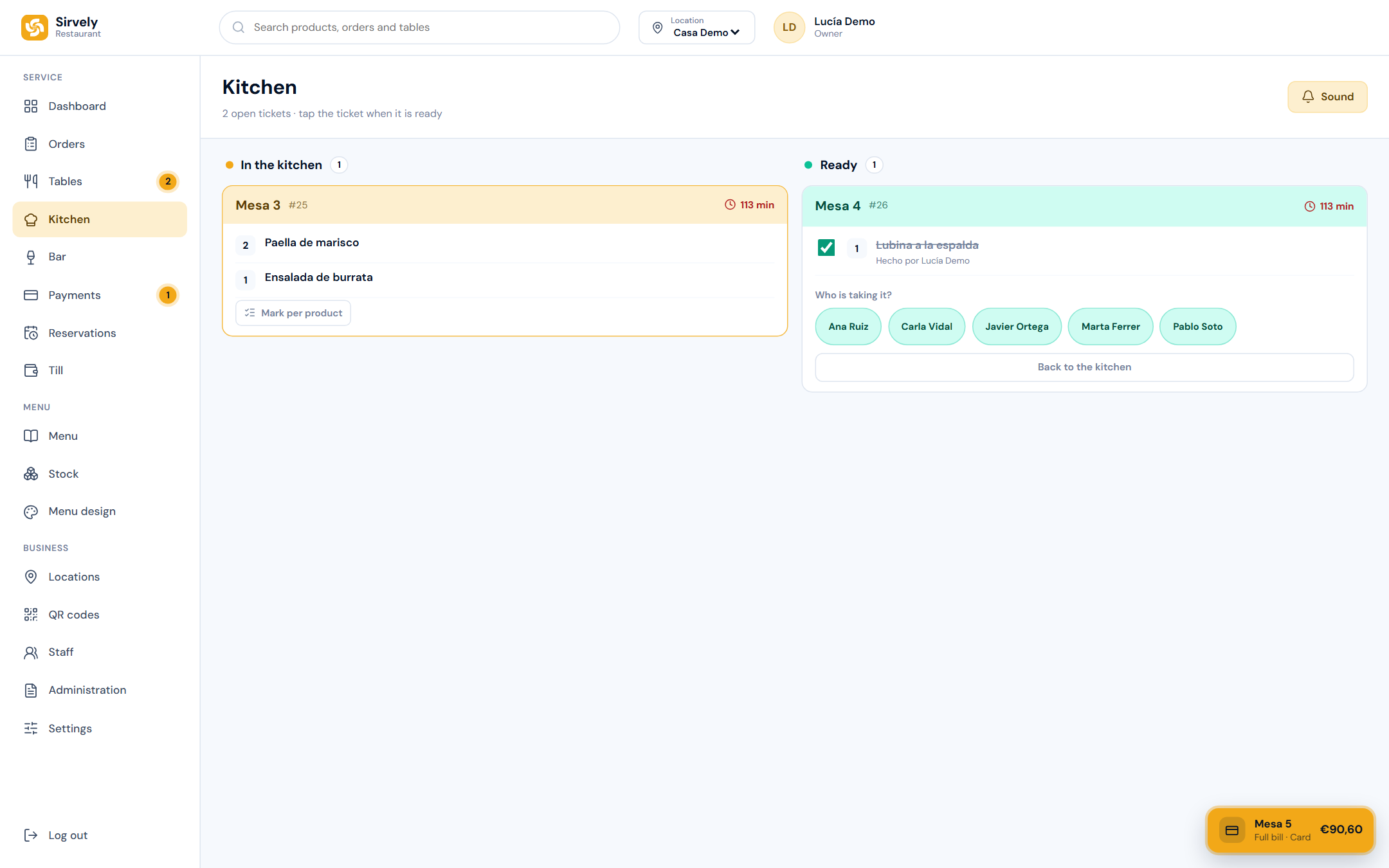
The kitchen screen

The kitchen screen

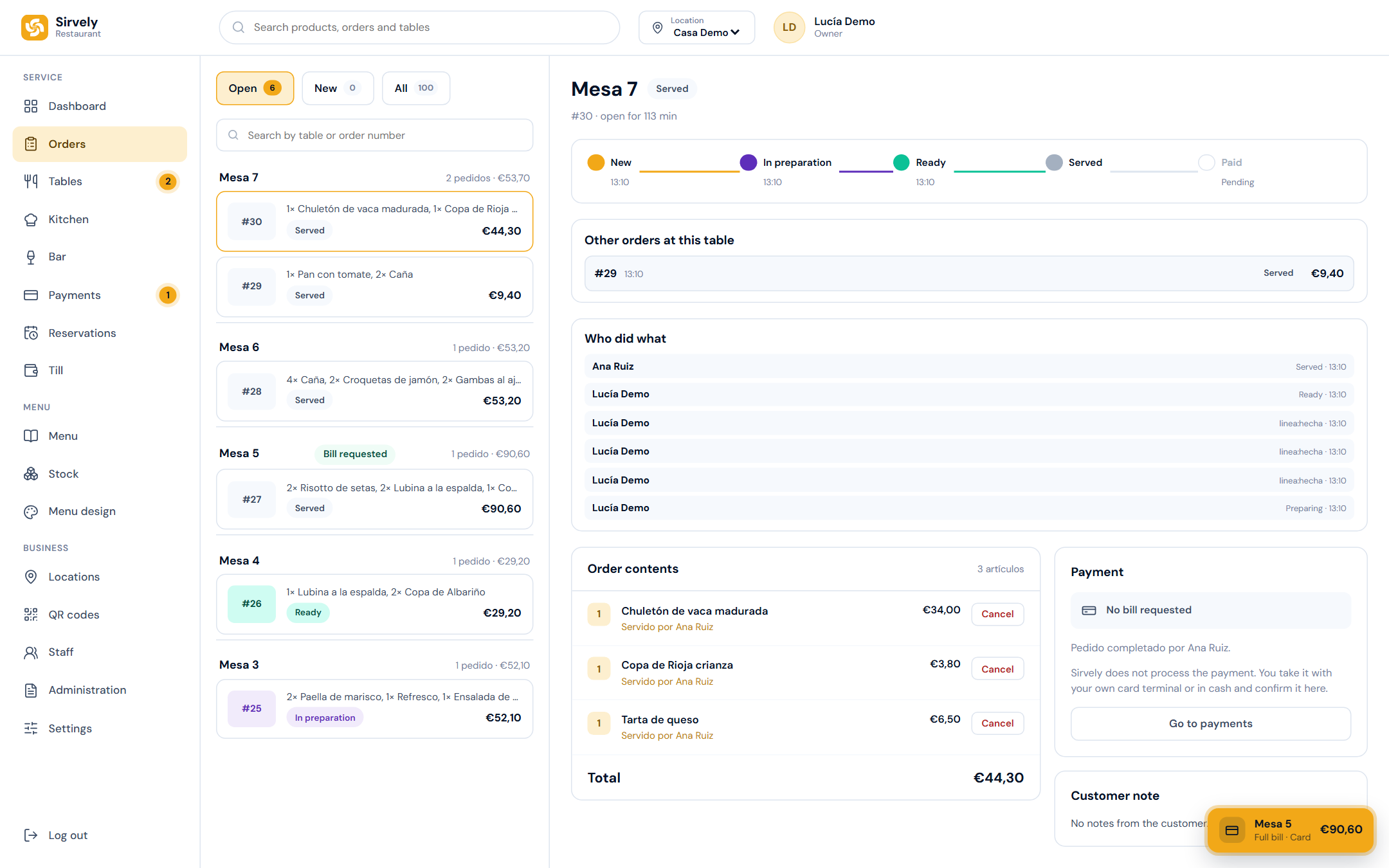
The orders

The orders

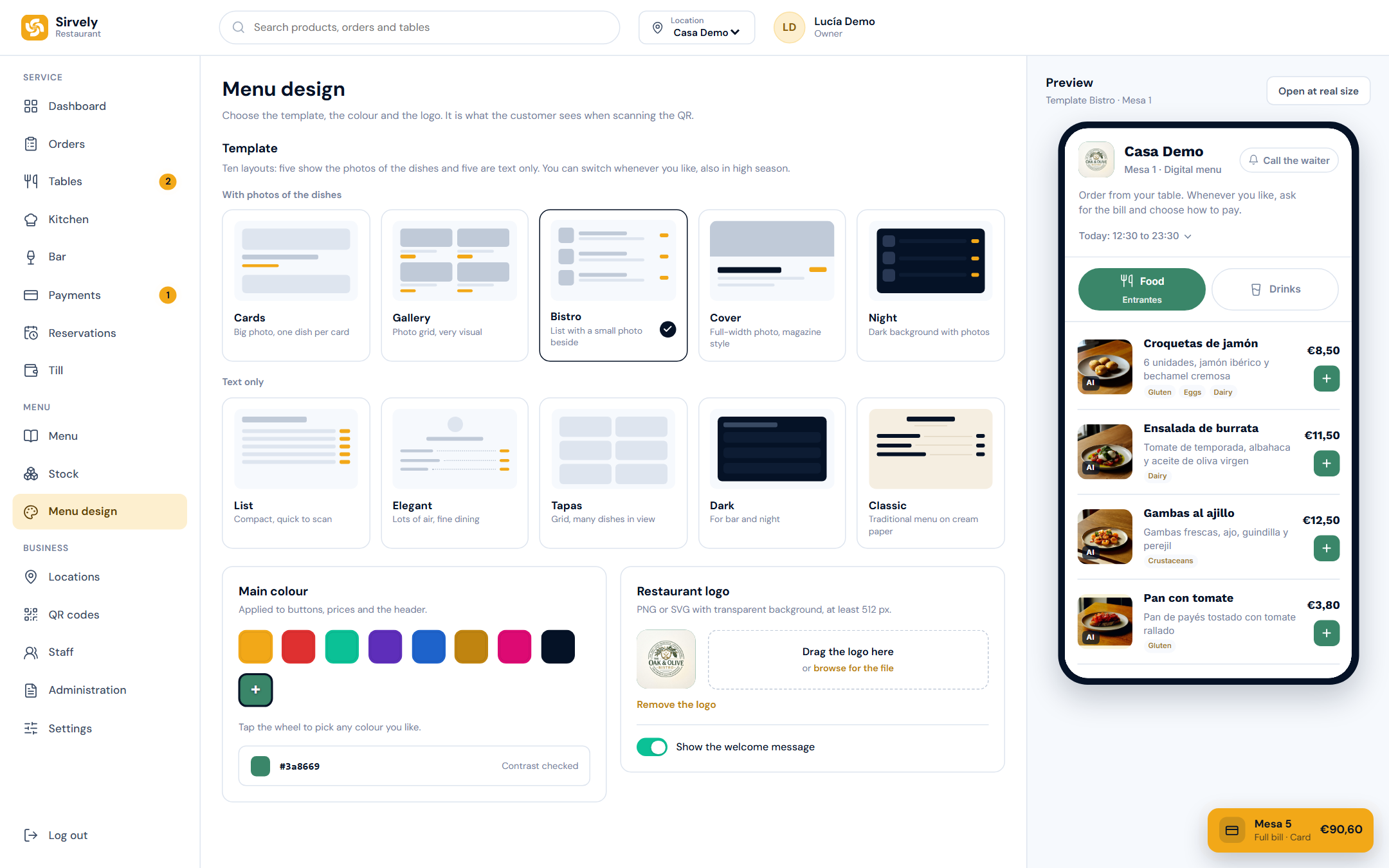
Menu design

Menu design

See it in your own restaurant

Send us photos of your menu and we set it up this week. Free demo, no commitment.

Your team

Everyone clocks in with their own PIN

One tablet at the bar, one in the kitchen. Each person clocks in with four digits and lands on their own screen. No shared password and no paper timesheet.

Clock in and out at the tablet

Start of shift, break, back from break, end of shift: four buttons next to the PIN pad. The hours land in the panel and on the shift list, without anyone writing them down.

Straight to the right screen

Kitchen signs in and sees the tickets. Floor signs in and sees tables and payments. Nobody has to look for anything in a menu.

The manager keeps the PINs

Each person has their own PIN; the manager creates and changes them in the panel. Someone leaves, their PIN goes with them.

The PIN screen on the tablet, as the team sees it.

See it in your own restaurant

Send us photos of your menu and we set it up this week. Free demo, no commitment.

What Sirvely does not do

It matters as much as what it does.

  • It does not touch your money.

    The guest does not pay through the app. They pay at the table, with your terminal or in cash. Sirvely only tells you the table wants to pay.

  • It does not change your card terminal.

    You keep your bank, your till and the terminal you have always had. There is nothing to integrate.

  • It does not make the guest install anything.

    The menu opens in the phone browser. No App Store, no sign-up, no e-mail.

  • It does not tie you down.

    No minimum term. You cancel from the panel whenever you like, without calling or explaining, and nothing is charged again.

See it in your own restaurant

Send us photos of your menu and we set it up this week. Free demo, no commitment.

The bill

Clear prices, like a bill

No commission per sale, no minimum term and no small print. This is everything you pay.

What the set-up includes

  • We build your menu from photos of the one you already have
  • Printed and laminated table signs, one per table
  • Team training in one afternoon, at your venue
One-off set-up
€250,00once
Monthly fee
€99,95per month per venue, VAT not included
15 tables included per venue
€0,00
Extra table
€9,95per month, from table 16 of each venue
Commission on your sales
0%
First month
€349,95
Then
€99,95 a month

VAT not included.

Start with Sirvely

No minimum term. You cancel from the panel whenever you like and nothing is charged again. Your menu and your QR codes wait for you if you come back.

What the monthly fee includes

  • Unlimited QR orders
  • Kitchen screen and floor plan
  • Unlimited staff, each with their own PIN
  • A single invoice, even with several venues
  • 0% commission on your sales

Do the maths

What would a commission cost you?

A 3% commission is €900,00 a month.

Sirvely is €99,95 a month per venue, whatever you take.

You keep €800,05 a month.

An example with a commission that is common in the trade. Sirvely charges none.

Before you decide

Frequently asked questions

Do I have to change my card terminal?

No. You keep yours, with your bank and your till. Sirvely only tells you the table wants to pay.

What if the guest cannot work it?

Your staff keep taking orders as always. Sirvely adds to it, it does not replace it. At a table of eight, one person usually orders for everyone.

Do I need wifi for the guests?

Not needed. The menu opens on the guest’s own mobile data. If you have wifi, all the better, but it is not required.

What if the internet goes down?

You still get paid, because the payment is yours and does not go through Sirvely. While the line is down the team takes orders on paper, as it always has.

Who loads the menu?

We do, at set-up. You send us photos of your current menu and we hand it back built, with its categories, its prices and its allergens.

How do staff sign in?

Each person has their own PIN. Floor staff see orders, tables and payments. Kitchen sees only the kitchen screen. Bar sees kitchen and drinks.

How many venues can I have?

As many as you like. Each venue has its own tables, menu and staff, and each has its own fee of €99,95 a month, excluding VAT. The fees are combined into one charge and you receive a single invoice.

Can I change the menu myself?

Yes. Prices, products, photos and allergens are changed from the panel and show at the table straight away. Nothing to reprint.

Can I change the look of the menu?

Yes: ten templates, your colour and your logo. It takes a minute from the panel.

If it suits you, we set it up this week

You send us photos of your menu and the number of tables. We build it, print the signs and come to your venue to leave it running.

info@sirvely.com